


Vendor Dashboard Overview
Once you’re approved, you get your own Vendor Dashboard and Admin Area — built to make selling flies, gear, and guided trips on Two Guys Flies simple from day one.
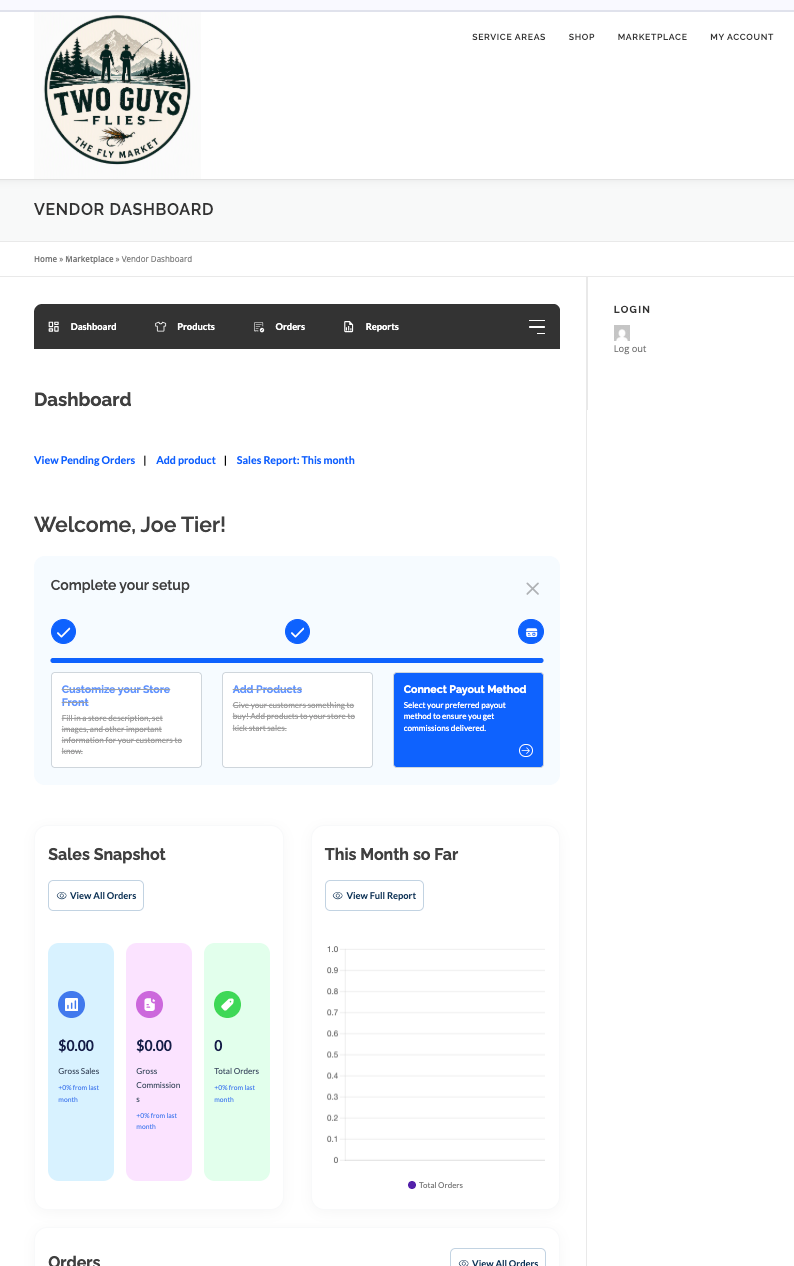
Your Dashboard
Log in and see your shop at a glance — a sales snapshot front and center, plus quick links to the tools you’ll use most.
- Customize Your Feed — choose what shows up on your dashboard so the info you check daily is right up front.
- Manage Products — jump straight into your catalog to add, edit, or check stock.
- Connect Payout — link your payout method once and get paid automatically as orders come in.
- Sales Snapshot — see today’s orders, revenue, and top sellers without digging through menus.
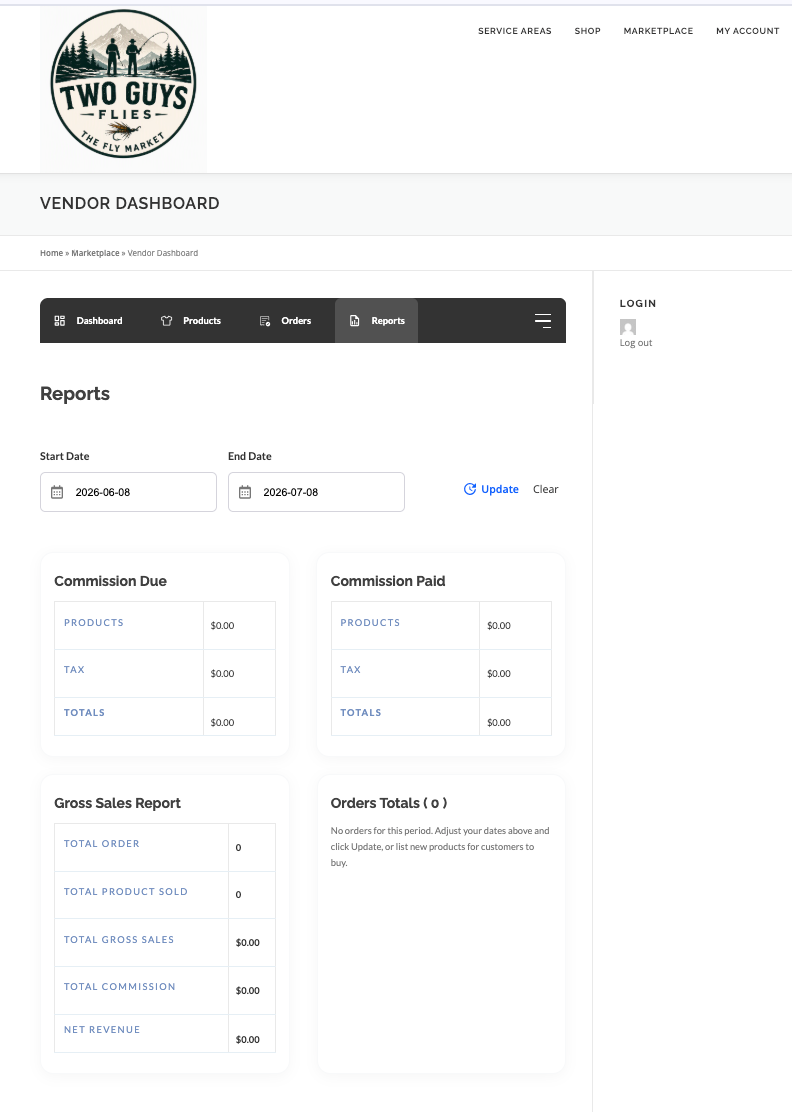
Custom Reports
Pull the numbers that matter to you. Set any date range and watch your sales, orders, and payouts plotted on clear, easy-to-read graphs.
- Date Range Filters — compare this week, this season, or any custom period.
- Visual Graphs — track revenue and order trends over time at a glance.
- Best Sellers — see which flies, products, or trips are performing best.
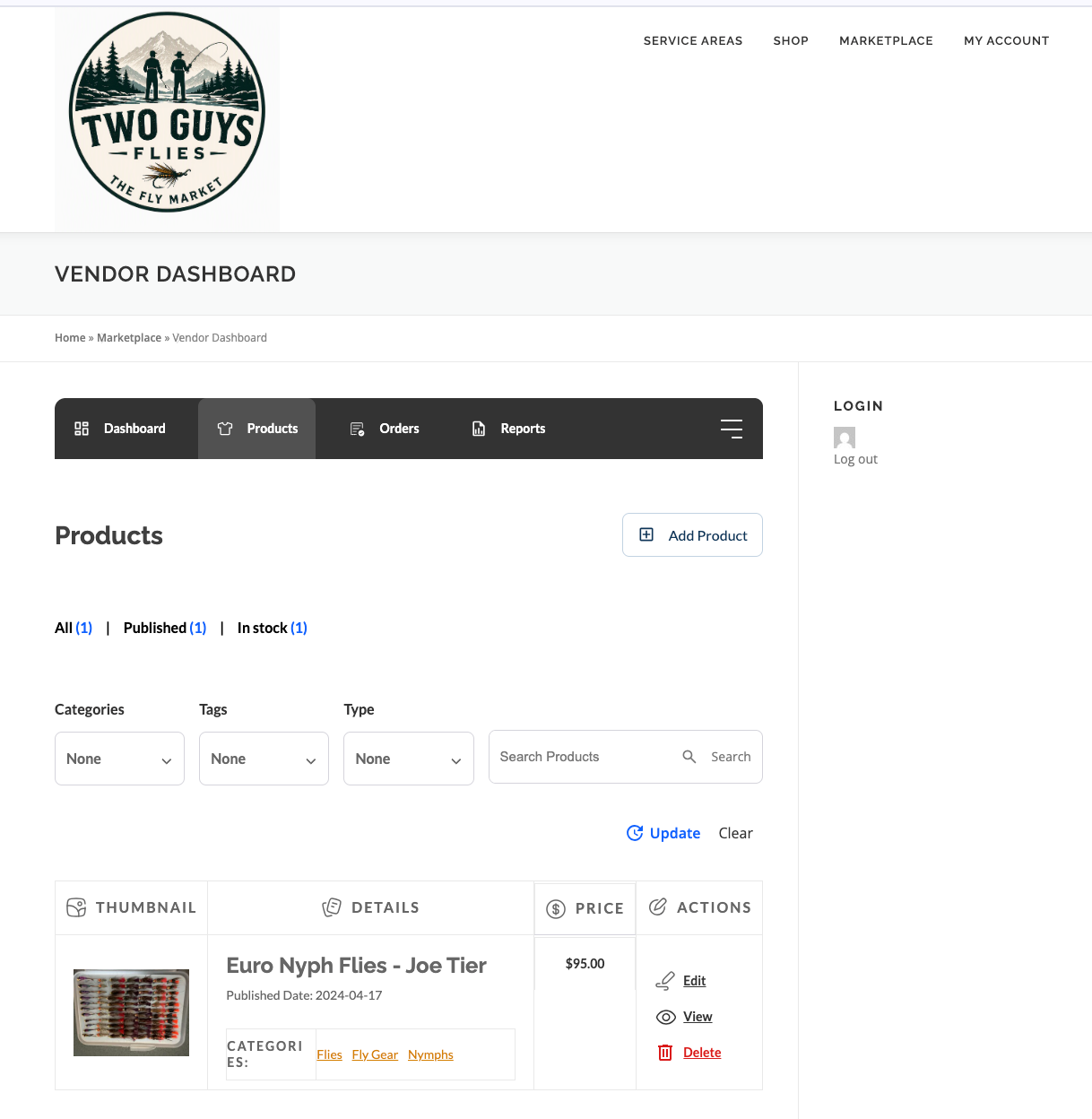
Manage Products
Add new listings or edit what you’ve already got — flies, gear, and guided trips, all from one place.
- Add & Edit Products — update photos, pricing, and descriptions any time.
- Advanced Variable Products — set up size, color, hook style, or bundle options for a single product.
- Advanced Booking Products — list short-term rentals or guided trips with real availability calendars.
Built for guides & property managers
Run a single guide’s calendar or manage a whole operation — bookings can be assigned per person or resource, so a multi-guide outfit or rental property with several units can handle group and complex bookings without double-booking anyone.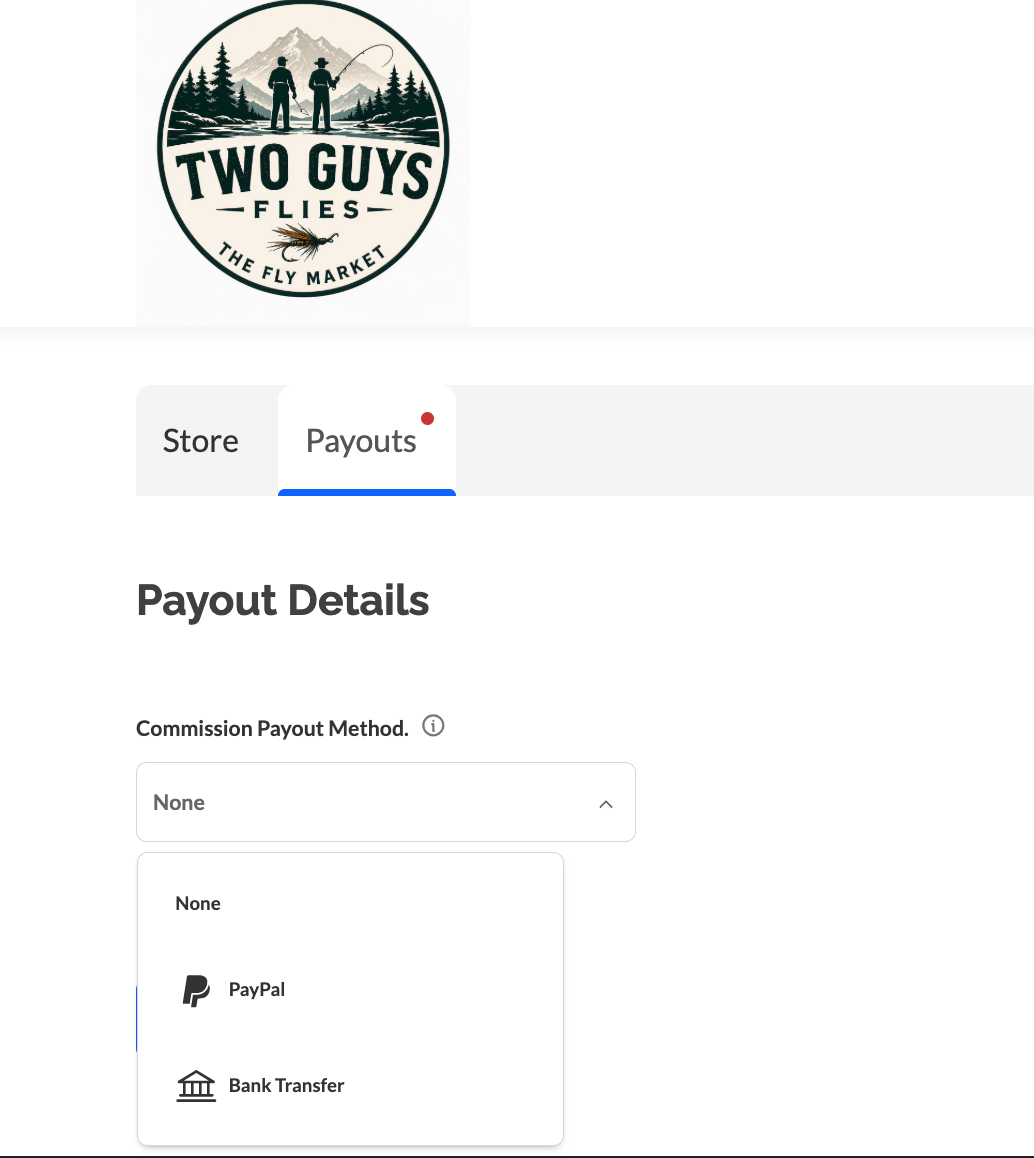
Manage Payouts
Know exactly what you’ve earned and when it’s coming. Connect your payout method once and track every deposit after that.
- Connected Payout Method — securely link your bank or preferred payout account.
- Payout History — a running log of every payout, so nothing is a surprise.
- Pending vs. Paid — see what’s on its way and what’s already landed.
Ready to Start Selling?
Register today and get access to your own Vendor Dashboard and Admin Area.
Become a Vendor