Booking Products
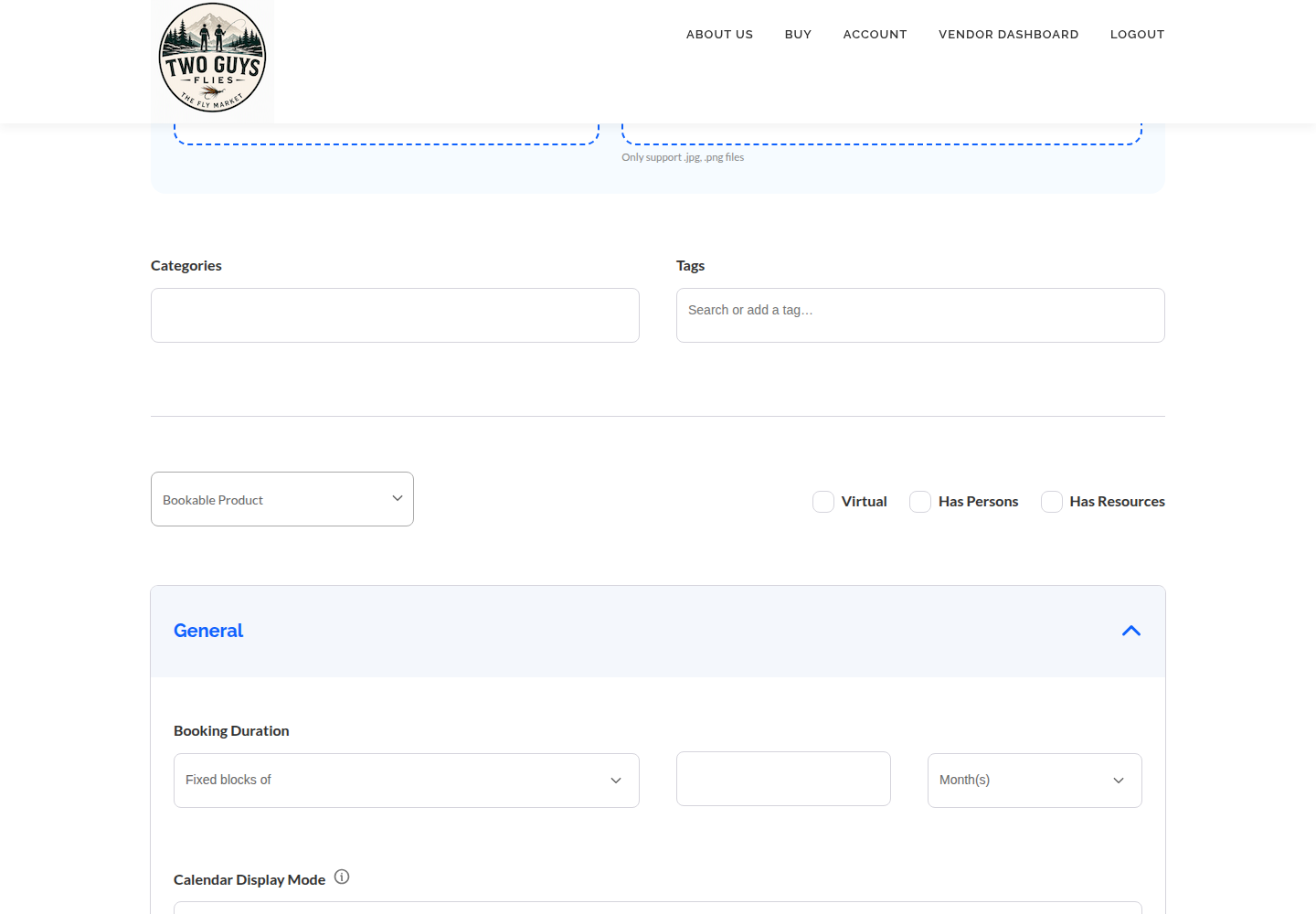
When the buyer is choosing a date or a time rather than an object, choose Booking (Bookable) for that product in Add Product. All vendors can use booking products; this is not a storefront setting.
#Before you start
- A finished storefront. Booking products are available to every vendor and are chosen when adding a new product.
- The duration of what you offer: a full day, a two-hour lesson, a night.
- Your real availability, and a cancellation rule that matches marketplace policy.
#Steps
- Open Products, then Add Product, and choose the bookable product type.
- Name it by the experience and its length, and describe what is included and what the guest must bring.
- Set the duration and its unit (hours, days or nights), then the minimum and maximum length a buyer may book.
- Set availability: the days and times you can take guests, and any dates you are closed.
- Enter costs. Decide how price applies: per person, or one fixed price for the group. See below.
- If enabled and you need them, set persons, capacity or resources. Skip these if you do not see them.
- Choose whether bookings confirm automatically or need your approval, and write the cancellation instructions.
- Name the time zone in the description and make the checkout date unambiguous.
- Save or submit, then make a test selection on the public page to confirm dates and prices display as intended.
#Two examples
A full-day guided trip, and a single cabin:
Full-day guided float: 1 day, up to 2 anglers, fixed price for the boat, 7:30 am meeting, lunch included, time zone Eastern. One cabin: unit of nights, minimum 2, maximum 7, priced per night, check-in 4 pm, check-out 10 am.
#Per-person versus fixed group pricing
Per-person pricing multiplies by the party size; use it when your cost grows with each guest, such as lessons with equipment. Fixed group pricing charges once whatever the party; use it for a boat, a cabin or a private beat.
State which one applies in the first line of the description. Buyers who assume the wrong one will cancel.
#Time zones and dates
Put the time zone in writing. For lodging, state the check-in and check-out day so the buyer knows which night is the last.
#Calendar sync
Syncing availability from Airbnb or Vrbo is covered in Calendar Sync (iCal). It is not promised for every booking setup, and not for multi-resource properties.
#Troubleshooting
I do not see a bookable type.
All vendors can use Booking products. Open Products → Add Product and check the product-type selector. Contact marketplace support if the expected option is missing.
Guests booked the wrong dates.
Check minimum and maximum length, and whether the checkout date is stated clearly.
A date I blocked can still be picked.
Re-save and recheck the public page. If it persists, contact the marketplace.
#Final checklist
Your ticks are saved in this browser only.
#Screenshots